
Presentation

Mode of Presentation

Choose the format that fits how you want to take part — present live on stage in Jakarta, display your work as a poster, or join us virtually from anywhere.

Format

Oral Presentation

Present your research live in a technical session, supported by slides, to an audience of fellow researchers and academics.

A researcher presenting at a lectern to a seated conference audience, with a slide reading Research, Innovation, Impact on the screen behind

Guidelines For Presentation

How to build a deck that carries your argument.

  • Consider the sequence and relevancy of your slides — each slide should lead smoothly to the next.
  • Use graphs and charts to illustrate your main points. These visuals help the audience clearly understand the content.
  • Keep it simple. Avoid overly fancy graphs, too much data, flash animations, GIFs, or bright distracting colors. The audience will focus on the effects, not your message.
  • Use high-contrast, easy-to-read fonts common to most computers. Avoid ALL CAPS, italics, and unnecessary styling. Minimum recommended font size: 30 pt.

Follow the 6-6-6 Rule

The quickest way to keep a slide readable from the back row.

words per bullet

Maximum 6 words per bullet

bullets per slide

Maximum 6 bullets per slide

text slides in a row

Maximum 6 text slides in a row

Time limit

Keep the presentation within the 8–10 minute timeframe.
Format

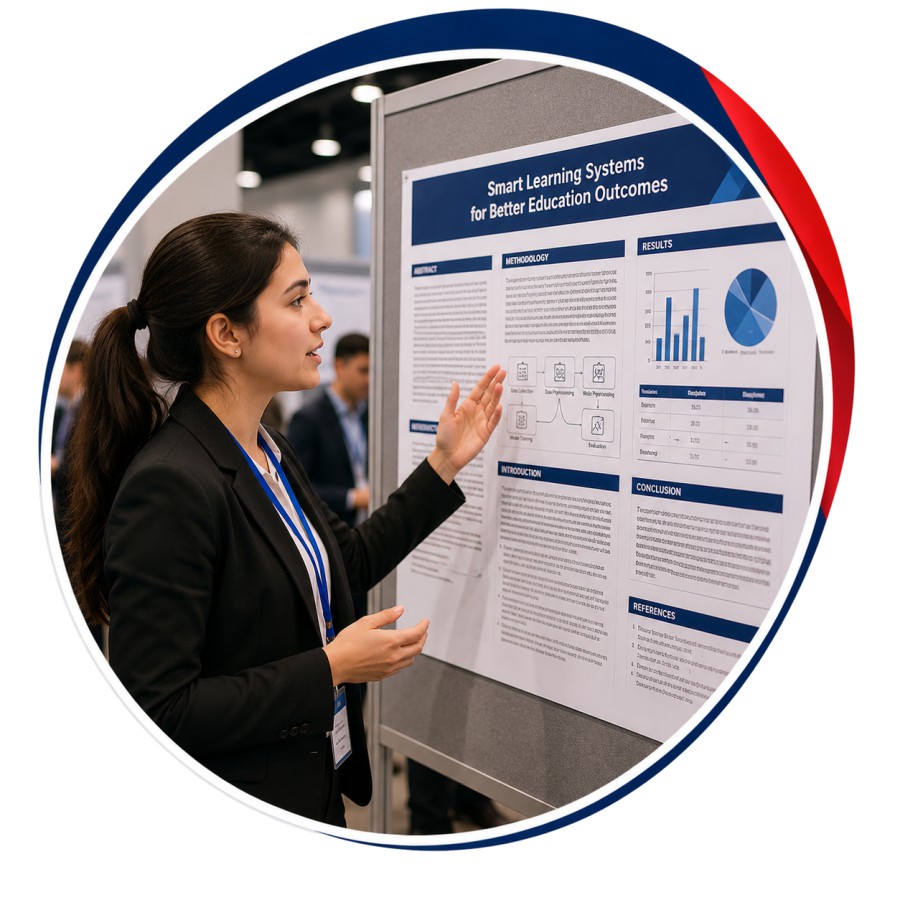
Poster Presentation

A researcher standing beside her poster board explaining it to attendees at a poster session

How a Poster Session Works

What is expected of you on the day.

As a poster presenter, you can deliver your presentation effectively to an audience in the form of a poster.

There is no formal oral presentation in a poster session; instead, each author is assigned a display area on which diagrams, graphics, data, pictures/photos, and a small amount of text are presented.

The poster should be self-explanatory, but the author should be available at certain times, such as refreshment breaks and during the time devoted to the poster session, to interact with viewers and answer questions.

Poster Presentation Guidelines

Poster Size

  • Dimensions for the posters are 2 × 3 feet (Width: 2 ft, Height: 3 ft).
  • Please ensure that your poster does not exceed this size.

Poster Submission

  • Hand over the poster to the organizing committee at the registration table.

Poster Viewing & Evaluation

  • A time slot will be allocated for poster viewing in the conference program.
  • Please ensure you stand by your poster for discussions and questions.
  • Presenters should explain their material, answer questions, exchange contact information, and discuss the subject matter with visitors.
Time limit

Keep your presentation within the 8–10 minute timeframe.

Format

Virtual Presentation

For your convenience, we offer virtual presentations if you are unable to attend the conference in person but still need your work to be presented and published. There are two different types of virtual presentations.

A presenter speaking to a wall of video-call participants during a virtual conference session

Live Video Presentation

Present live over video link to the session audience in real time.

PowerPoint Virtual Presentation

Submit a narrated slide deck to be played during your session.

Guidelines For Presentation

Live Video Presentation

Setting up so you come across well on camera.

  • Select the ideal background, then optimise the lighting.
  • Use an Ethernet connection for stable internet.
  • Use the same computer & internet for practice and presentation.
  • Check your webcam and position it so your face, neck, and shoulders are visible.
  • Ensure your voice is clearly audible; external microphones work better.
  • Be yourself and present with confidence — audiences connect with authenticity.

PowerPoint Virtual Presentation

Preparing a deck that stands on its own.

  • Perform a test run before the presentation day.
  • Review slides with a trusted advisor before submitting.
  • Don’t read directly from the slides while presenting.
  • Use props or demonstrations to stay within the allotted time.
  • Practice your presentation to refine your delivery.
Time limit

Keep your presentation within the 8–10 minute timeframe.

Important Alert

Please be aware of fraudulent communication claiming to collect conference fees and journal fees through unauthorized means, including cloned email addresses and phone numbers. IFERP advises all researchers to only process payments through our official event website and report any suspicious activity to [email protected].